Drag, drop, alive
Drop any video onto Loopaper and your desktop comes to life. Seamless looping, muted by default. No HTML, no file:// hacks, no setup.
Drop in any video and your desktop comes alive on every screen, while it quietly sips power.
Free tier, optional Pro unlock Made for macOS On the Mac App Store
Seamless. Muted by default. Looping forever, on every display.
The usual trick runs a whole web browser just to play one clip. Loopaper plays it the native way, so your Mac stays cool and quiet.
| The browser-wrapper way | Loopaper | |
|---|---|---|
| How a video becomes wallpaper | Wrap your .mp4 in hand-written HTML, then paste a file:// URL | Drag the video on. That's the whole setup. |
| What plays it | A full WebKit browser engine, running just to show one video | AVFoundation hardware decode (VideoToolbox), the native macOS path |
| Multiple displays | No real multi-display support | Every screen, automatically: a different clip per display, or off on one |
| Power awareness | A browser engine runs regardless | Pauses when covered, locked, or showing a screen saver; adjusts coverage on battery |
| Formats | Whatever you can hand-wire into a web page | Video, GIF, Live Photo, and images, dropped straight in |
| Built for | Rendering any website, pressed into wallpaper duty | One thing: a smooth, efficient, forever-looping wallpaper |
A tidy little menu-bar app with live previews on every display, per-screen control, and iCloud sync. No browser in sight.
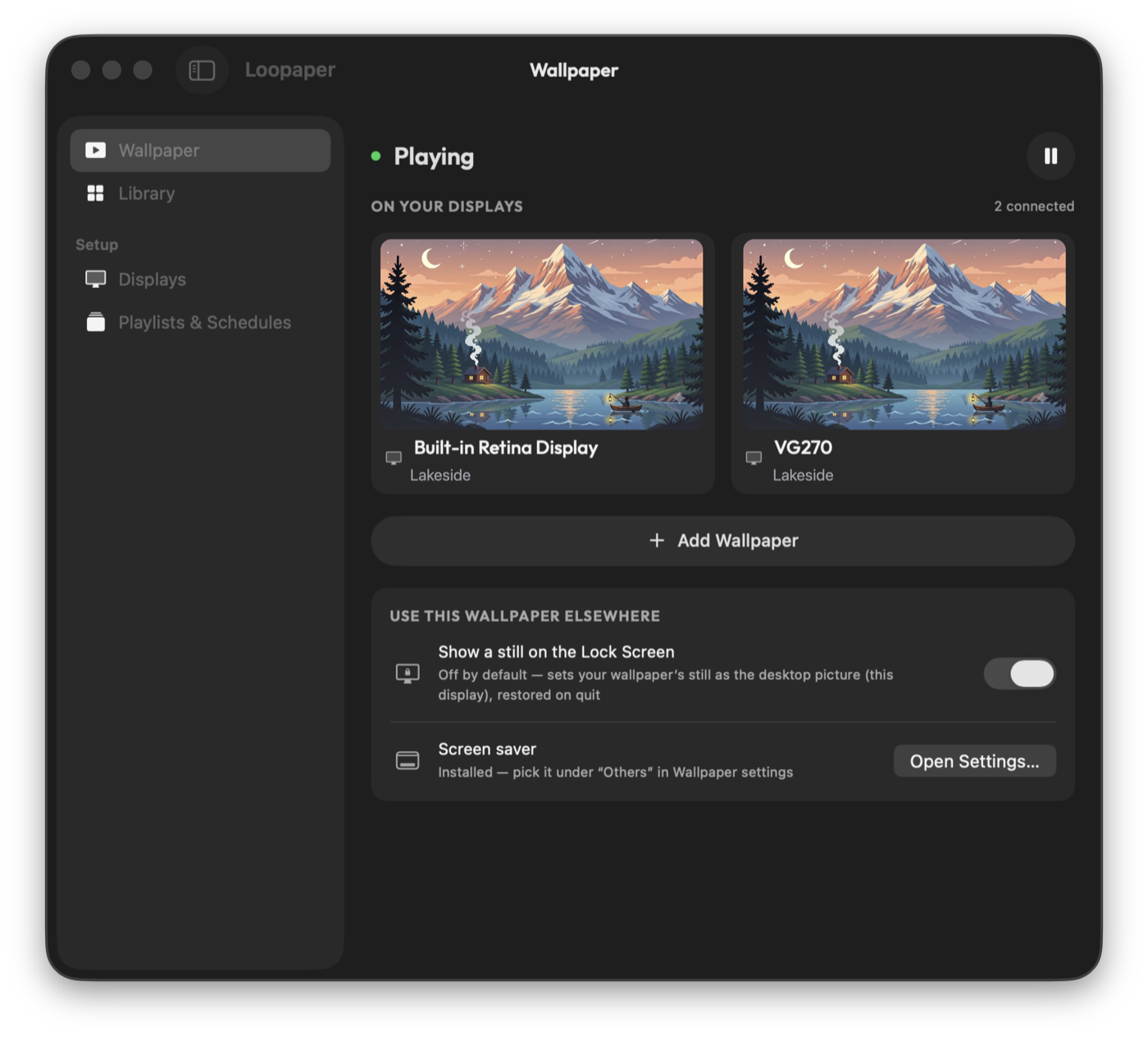
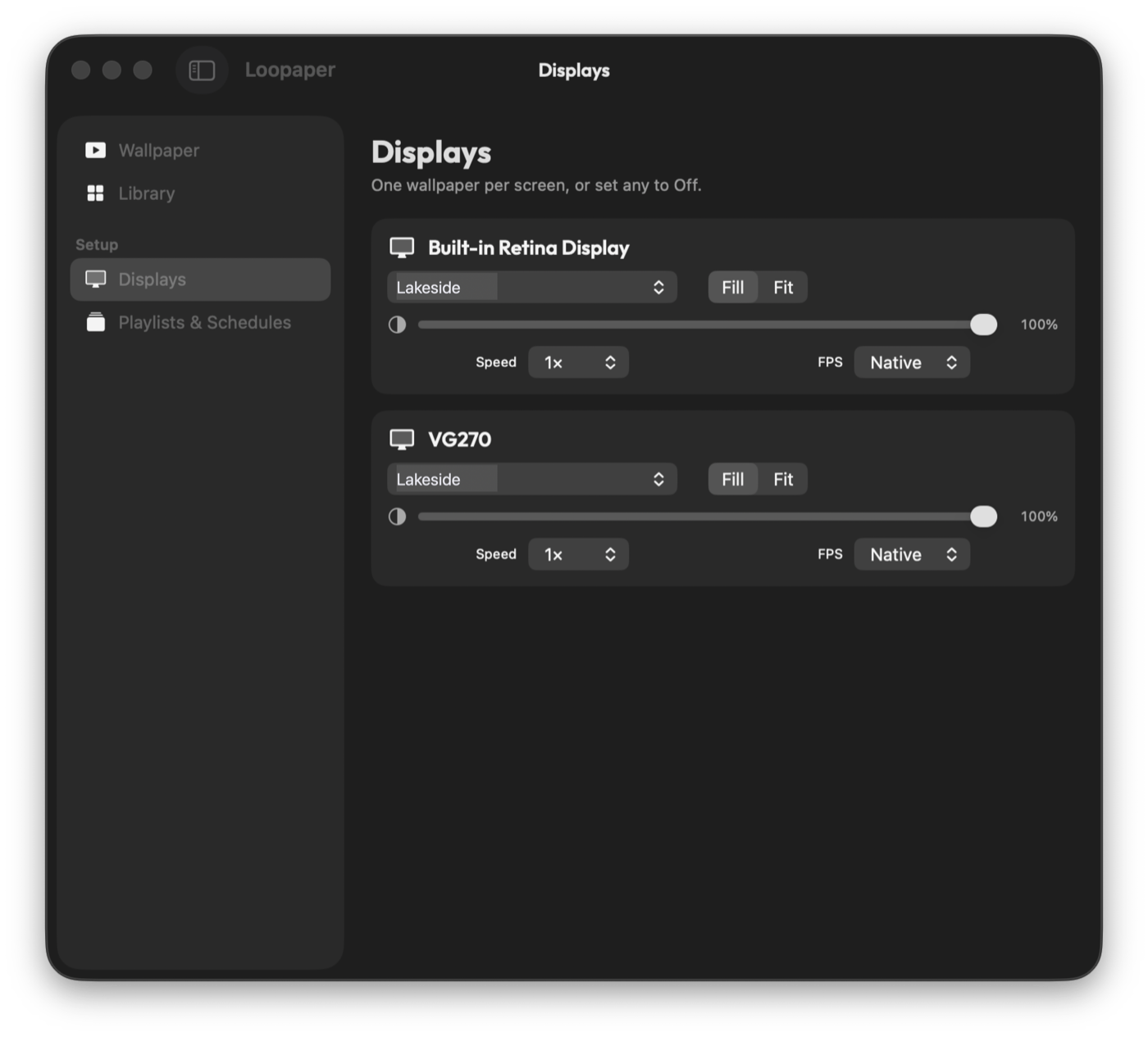
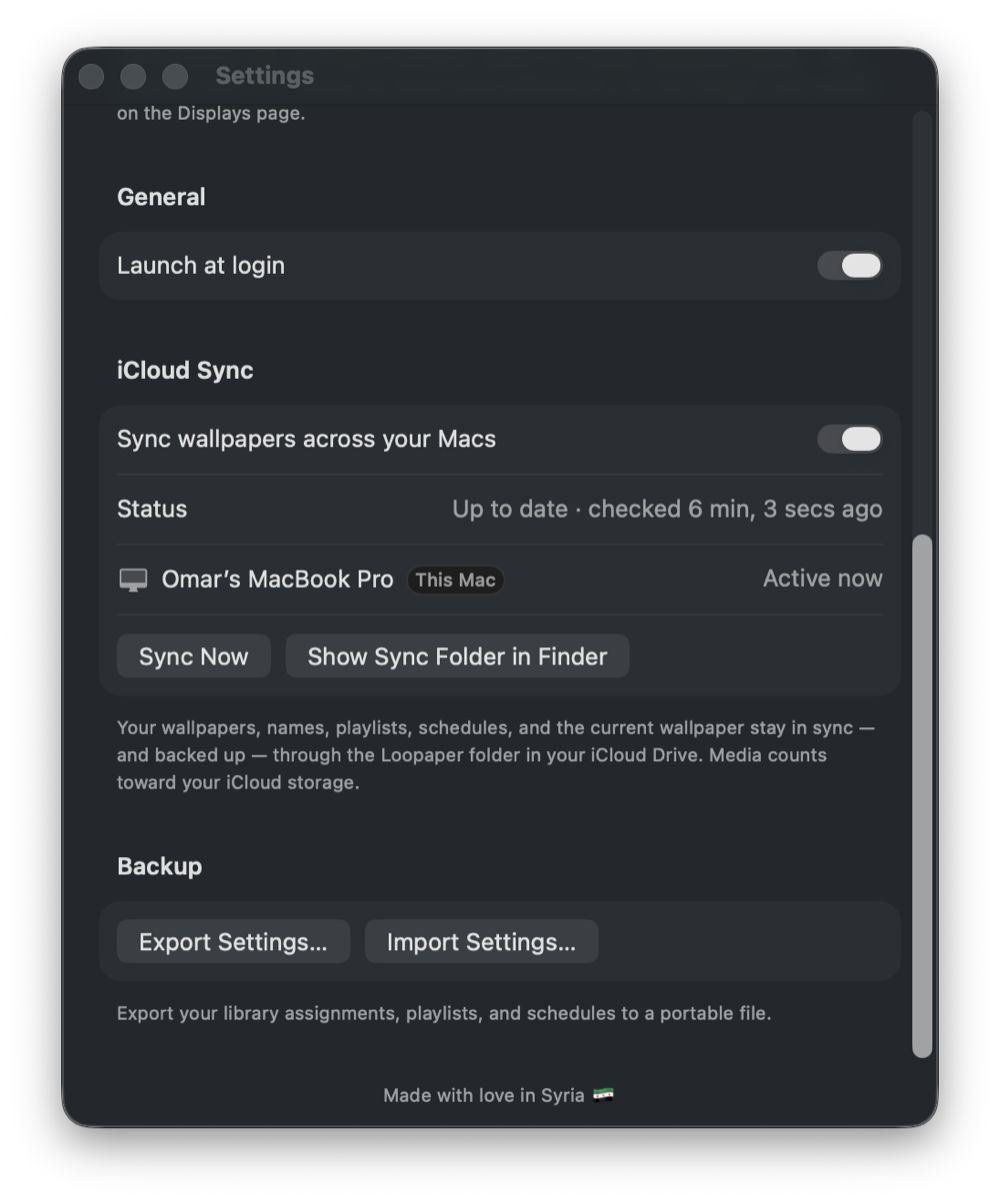
There's no Dock icon and nothing to fuss over: one menu-bar app that quietly handles the whole job.
Drop any video onto Loopaper and your desktop comes to life. Seamless looping, muted by default. No HTML, no file:// hacks, no setup.
It appears on all your displays and handles plugging in or unplugging a monitor on its own. Assign a different clip per screen, or keep one on your normal wallpaper.
Crop to fill the display or letterbox to fit, set independently for each monitor.
Rotate through a set of clips, or show a different wallpaper by time of day.
Video, GIFs, Live Photos, and images all work. A real library with thumbnails, search, sort, and hover-to-play.
Native playback, not a browser engine. Pauses when covered or locked; battery and Low Power Mode make the coverage rule more conservative.
Awkwardly-encoded videos get quietly smoothed on import, retimed to 30fps and a short GOP, so even juddery clips loop nicely.
No Loopaper account, analytics, or developer-operated media server. Your videos stay on your Mac; optional sync uses your private iCloud storage.
Drag any clip onto Loopaper in the menu bar. No HTML, no file:// URL, no wrapping. It becomes your wallpaper right away, looping and muted.
It fills every display on its own. Choose a different clip per monitor, pick Fill or Fit, or turn it off on one screen to keep your normal wallpaper.
Loopaper pauses covered displays, during lock, and while the screen saver runs. On battery it uses a more conservative coverage threshold.
Built-in or external, Loopaper fills each display on its own. Put a different clip on each monitor, or keep your normal wallpaper on one. Plug in a screen and it just shows up.
Loopaper plays through native hardware decode and goes quiet the moment nobody's looking. Toggle a state below and watch the decoder back off for yourself.
Illustrative only. Battery alone keeps a visible wallpaper playing; it lowers the coverage threshold and may limit frame rate. Coverage, lock, and screen saver pause playback. Critical heat stops the engine.
No Loopaper account, analytics, or developer-operated media server. Your videos live on your Mac. Purchases use Apple's App Store, and optional iCloud sync keeps copies in your private iCloud storage. See the Privacy Policy for details.
No tracking, no telemetry, no sign-inThere's nothing to log in to, and nothing watching what you do.
Your media lives locallyClips are copied into your Mac's Application Support folder, on your machine, under your control.
Optional sync stays in your iCloudIf you enable it, content moves through your private iCloud storage between your Macs, never a Loopaper server.
The developer never sees your contentThere are no Loopaper servers, so there's nowhere for your data to go.
One small watermark is the only thing held back, and a single one-time purchase removes it forever. No trial timer, no subscription, ever.
Free to download. Pro removes the watermark from new imports with one in-app purchase — no subscription.
Yes. The free tier lets you use the wallpaper features with a small watermark. A one-time Pro purchase removes the watermark from new imports. There is no subscription.
On the free tier, a small watermark is baked into newly imported wallpapers. Pro removes it from new imports; earlier clips need to be re-imported from their originals for a clean version.
Loopaper has no developer-operated analytics, tracking, or media server. Your library is stored locally. Purchases use Apple's App Store services, and optional sync stores copies of your media in your private iCloud storage. Support emails go to the developer so we can reply. See the Privacy Policy for details.
Yes. It shows on every connected display and handles plugging and unplugging monitors automatically. You can assign a different clip to each screen, set Fill or Fit per screen, or turn it off on one display so your normal macOS wallpaper stays there.
Video wallpaper uses processing power and battery. Loopaper uses native playback and pauses covered displays, during lock, and while the screen saver runs. Battery or Low Power Mode alone does not stop animation; those states lower the coverage threshold and may limit frame rate.
Video, images, GIFs, and Live Photos. Heavier or awkwardly-encoded clips are quietly normalized on import (30fps, short GOP) so playback stays buttery-smooth and loops seamlessly, muted by default.
macOS 14 (Sonoma) or later, on either Apple Silicon or Intel. It's a universal binary, and the app is just a few megabytes. It runs in the menu bar with no Dock icon and remembers your setup across reboots with launch-at-login.
The lock screen is not animated by Loopaper. If you enable matching, it can use a still frame of the selected wallpaper. The separately downloaded screen saver can loop the main display's clip when syncing is enabled.
Yes — Loopaper is free to download on the Mac App Store. You can use its wallpaper features with a small watermark; an optional one-time Pro purchase removes the watermark from new imports. There is no subscription or trial timer.
A live wallpaper consumes power while playing. Loopaper pauses when a display is covered, the Mac is locked, or the screen saver runs. On battery it can lower frame rate and pause at a lower coverage threshold, but it continues animating when visible.
Drag any video onto Loopaper in the menu bar and it becomes your live wallpaper right away, looping and muted, on every display. There's no HTML wrapper to write and no file:// URL to paste — dropping the clip is the whole setup, and you can pick a different one per screen.
Yes. Loopaper ships as a universal binary that runs natively on both Apple Silicon and Intel Macs, on macOS 14 (Sonoma) or later. It's a small menu-bar app of just a few megabytes with no Dock icon, and it remembers your setup across reboots with launch-at-login.
A menu-bar app for macOS 14 (Sonoma) or later, on Apple Silicon or Intel. Free to download, with an optional Pro unlock.